BuzzD Timer mark Coming soon to the Microsoft Store

Stop watching the clock.
BuzzD Timer watches it for you.

A lightweight, customizable countdown timer for people who rely on precise timing. Whether you're trading, working, studying, or gaming, your deadlines count down in plain sight, and BuzzD warns you before they arrive, not after.

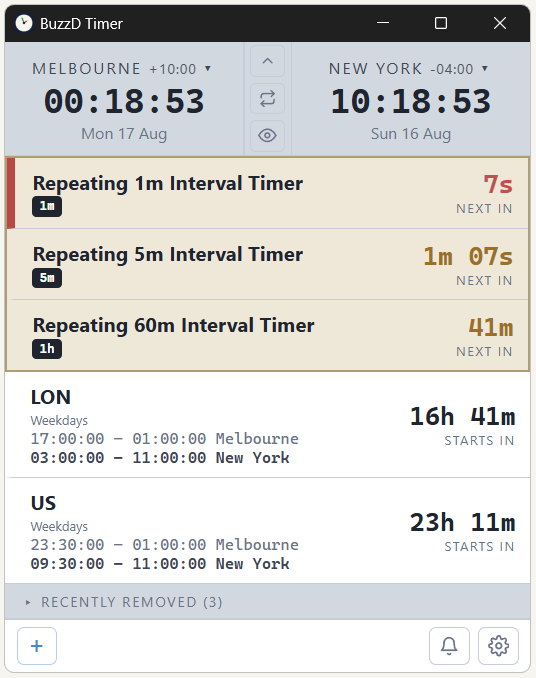
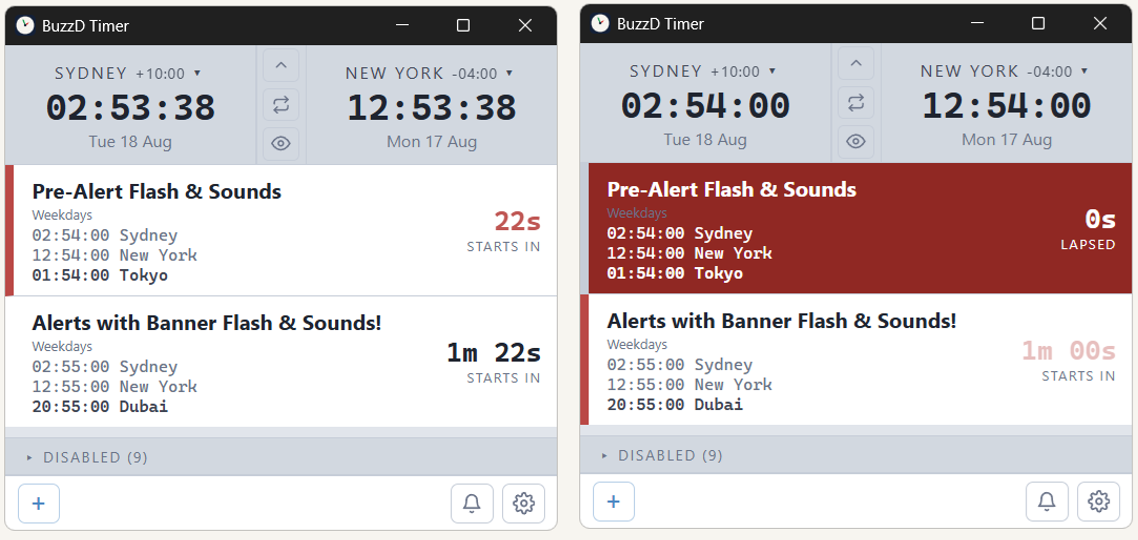
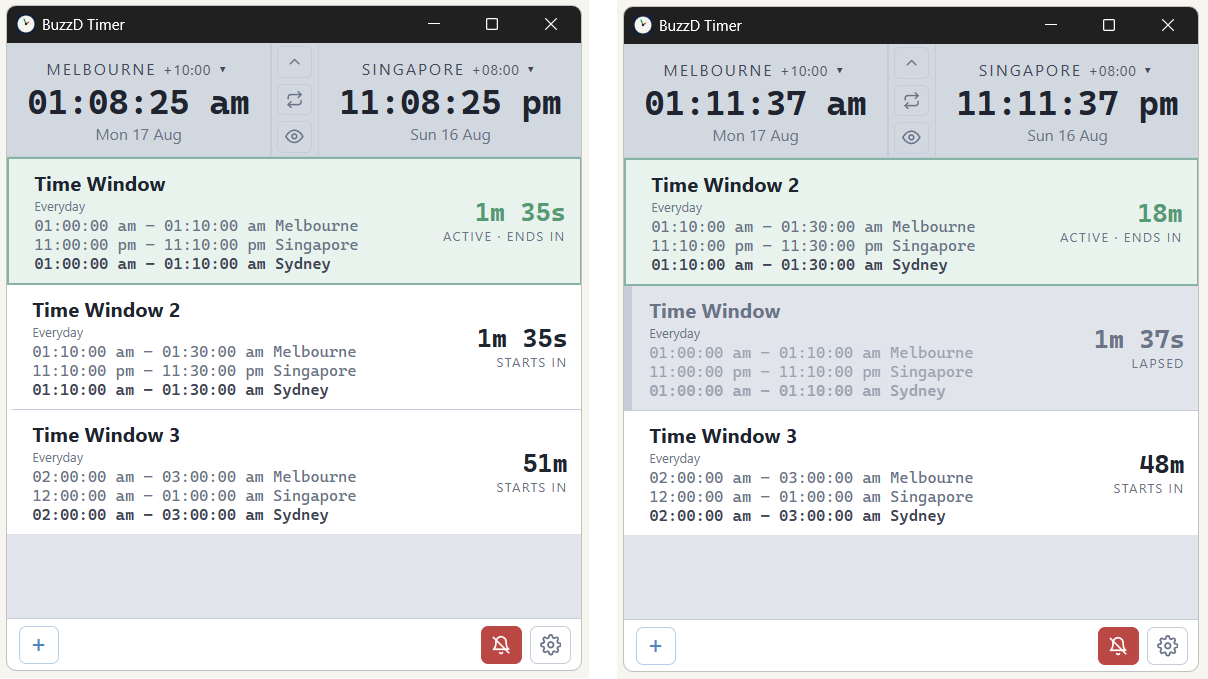
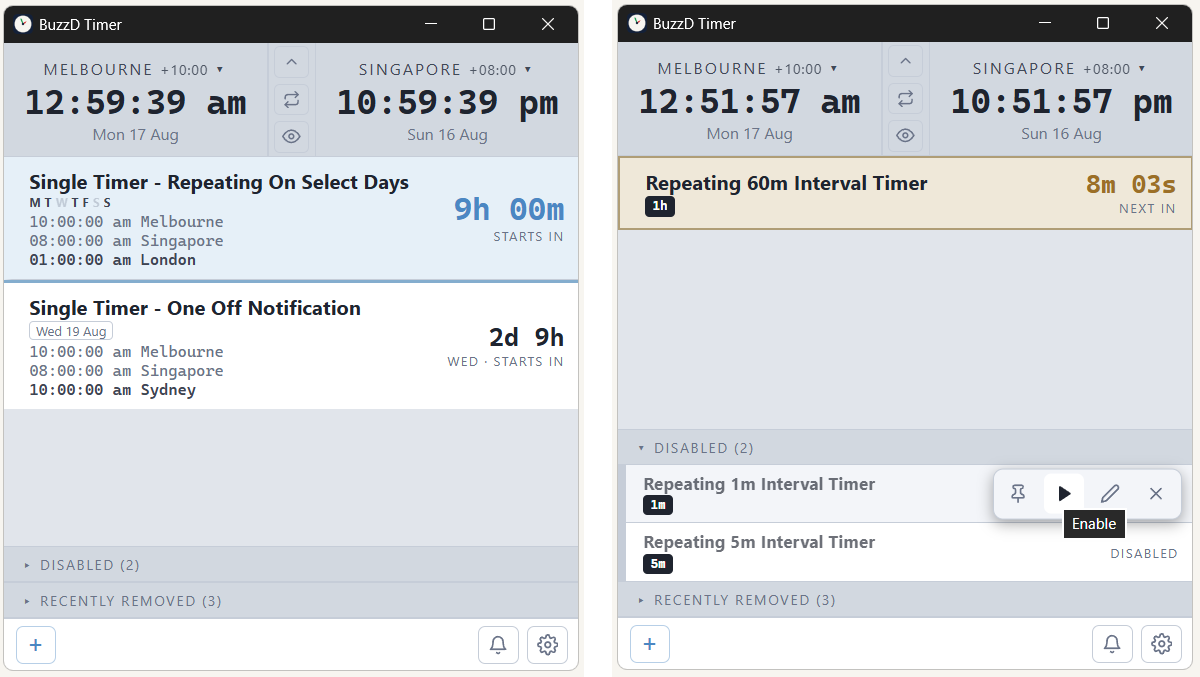
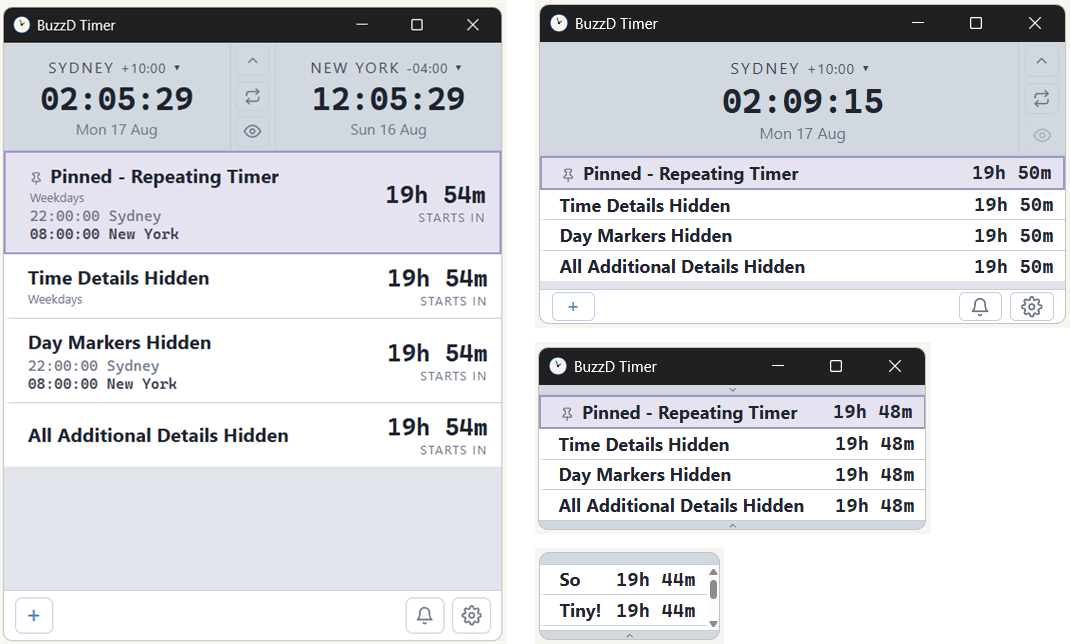
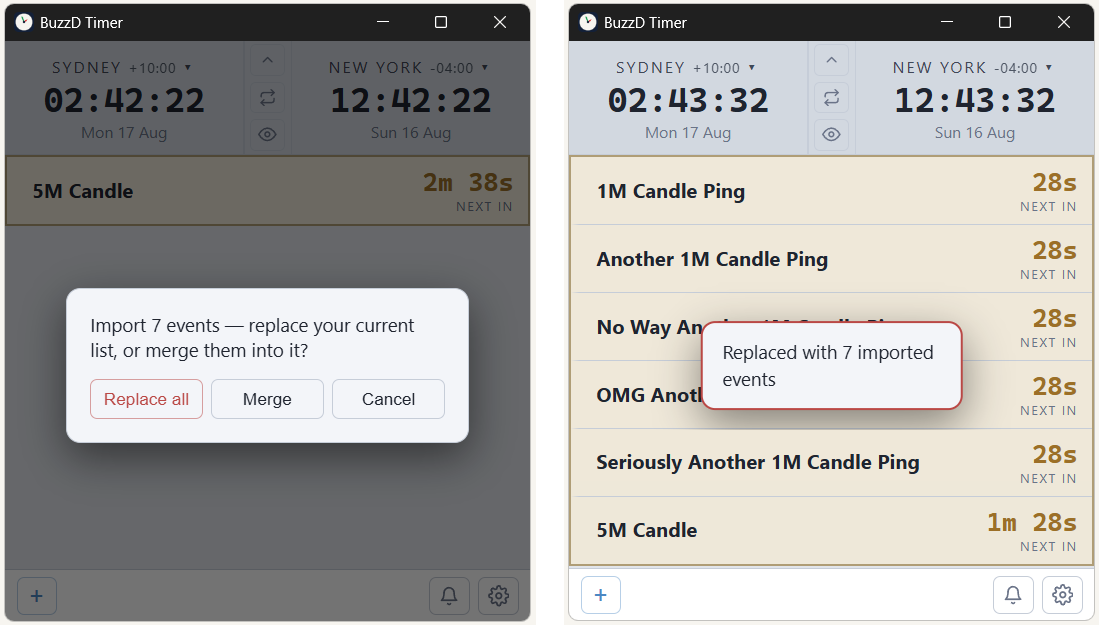
BuzzD Timer app window showing countdown events
Preview:

Features

Every deadline, one glance

  • Countdowns shift colour as the moment closes in
  • Pin what matters to the top of the list
  • Schedule by day, so weekends stay quiet
  • Deleted something? The bin holds it for you
  • Export your setup, import it on another machine
Two clocks, any two zones

  • Watch your desk time and the market's side by side
  • Enter an event in its own zone and leave it there
  • BuzzD converts it to your time zone automatically, no mental math

Alerts you'll actually notice

  • 17 built-in tones - different ones for events and intervals
  • The countdown flashes when time is nearly up
  • Mute everything instantly when you need quiet

Sits on top, stays out of the way

  • Keep it above your charts, always visible
  • Shrink it down to just the numbers
  • Remembers where you put it and how big you left it
  • Hide the title bar for a clean, minimal look

Pricing

Free

$0

What's included:

  • Up to 5 active events
  • Event types: single time, time window, interval, one-off date
  • Interval timers: 1m, 5m, 15m, 30m, 1h
  • Colour warnings as the deadline closes
  • Events in any time zone converted to your time zone automatically
  • Dual time-zone clocks
  • Day-of-week scheduling
  • 17 alert tones choose a different sound for each event
  • Global mute via a shortcut key or toggle button
  • Always-on-top window lock size and position remember size and position between sessions hide the title bar
  • Appearance settings light or dark theme, text size, 12 or 24-hour clock custom colours and flash colours row highlights for pinned, active and next events compact display
  • Pinning keep important events at the top
  • Lapsed events linger see which event just triggered before it disappears; the linger time is yours to set
  • Recently removed bin deleted events can be restored
  • Seconds precision
  • Backup and restore
  • Fully offline

Pro

One-time purchase

$4.99 USD

Everything in Free, plus:

  • Unlimited events
  • Pre-alerts get warned before the event, not just when it happens
  • Ultra compact mode takes up as little screen space as possible
  • Looping alarm repeats until dismissed
  • Interval events repeat only inside a window you set
  • Extra interval timers: 2m, 3m, 10m
  • Trigger offset fire the alert a few seconds earlier, so you're ready
  • Short and Medium urgency tiers two extra colour warning stages that kick in earlier
  • Custom sound files bring your own audio
  • System notifications alerts reach you even when the app is out of sight
  • Copy event duplicate an event with one click, then change only what differs

Latest changes

Version 1.2

2026-08-17

  • Ultra compact mode: single-line rows and a slimmer layout, so the app takes up as little screen space as possible
  • Advanced options switch: the app starts simple; turn on Advanced (above About) to show the full set of options
  • Copy event (Pro): duplicate an event in place, with everything carried over

FAQs

BuzzD Timer is somewhere off screen

Press Ctrl + Shift + R. This resets the window: it returns to its default size, moves to the centre of the screen, brings back the title bar, and unlocks moving and resizing.

Where are my exported events saved?

Straight to your Downloads folder, as buzzd-timer-events.json (for example C:\Users\<you>\Downloads). No save dialog appears; the file is ready to import again whenever you need it.